August 22, 2026
Leapwork and TestInspector both target QA teams that cannot or do not want to write test automation code, but they solve the no-code challenge in fundamentally different ways. Leapwork uses a visual flowchart editor where testers drag and connect building blocks representing UI interactions, branching logic, and assertions into a graphical flow that the tool then executes. TestInspector generates tests as structured, editable steps through an AI chat interface, then runs them via Selenium across Chrome, Firefox, Edge, and Safari with self-healing selector recovery. The choice between them determines not just how tests are created initially but how much ongoing maintenance the QA team carries as the application evolves.
Visual test scripting tools like Leapwork represent tests as flowcharts: each block is an action or assertion, connected by directed edges that define execution order. The visual metaphor is accessible to non-developers because the flow resembles a diagram rather than code, and interactions like “click button” or “type text” are represented as labeled shapes rather than method calls. This reduces the initial syntax barrier to creating tests, which is the central marketing claim of visual scripting platforms.
The practical constraint is that visual scripts require manual maintenance whenever the application’s structure changes. When a button is renamed, its position changes, or a page is restructured, the block that referenced the old element must be updated manually in the visual editor. The flowchart representation does not provide automatic recovery from selector drift — the test designer must identify which blocks broke, open the visual editor, re-record or re-configure the affected blocks, and validate that the revised flow still passes. For applications with frequent UI changes, this maintenance cycle is time-consuming enough to offset the speed advantage of the visual creation interface.
Complex test scenarios in visual scripting tools also become difficult to review and audit. A test covering a multi-step checkout flow, conditional validation, and post-submission state verification produces a flowchart with dozens of connected nodes. Visual inspection of this diagram provides less meaningful information to a reviewer than a structured list of steps, because the visual layout does not convey the test’s intent at a level of abstraction that makes review productive. For teams assessing whether their current testing toolchain is efficiently structured, Astaqc software testing services can audit test automation setup and identify where tool selection is affecting team productivity and coverage.
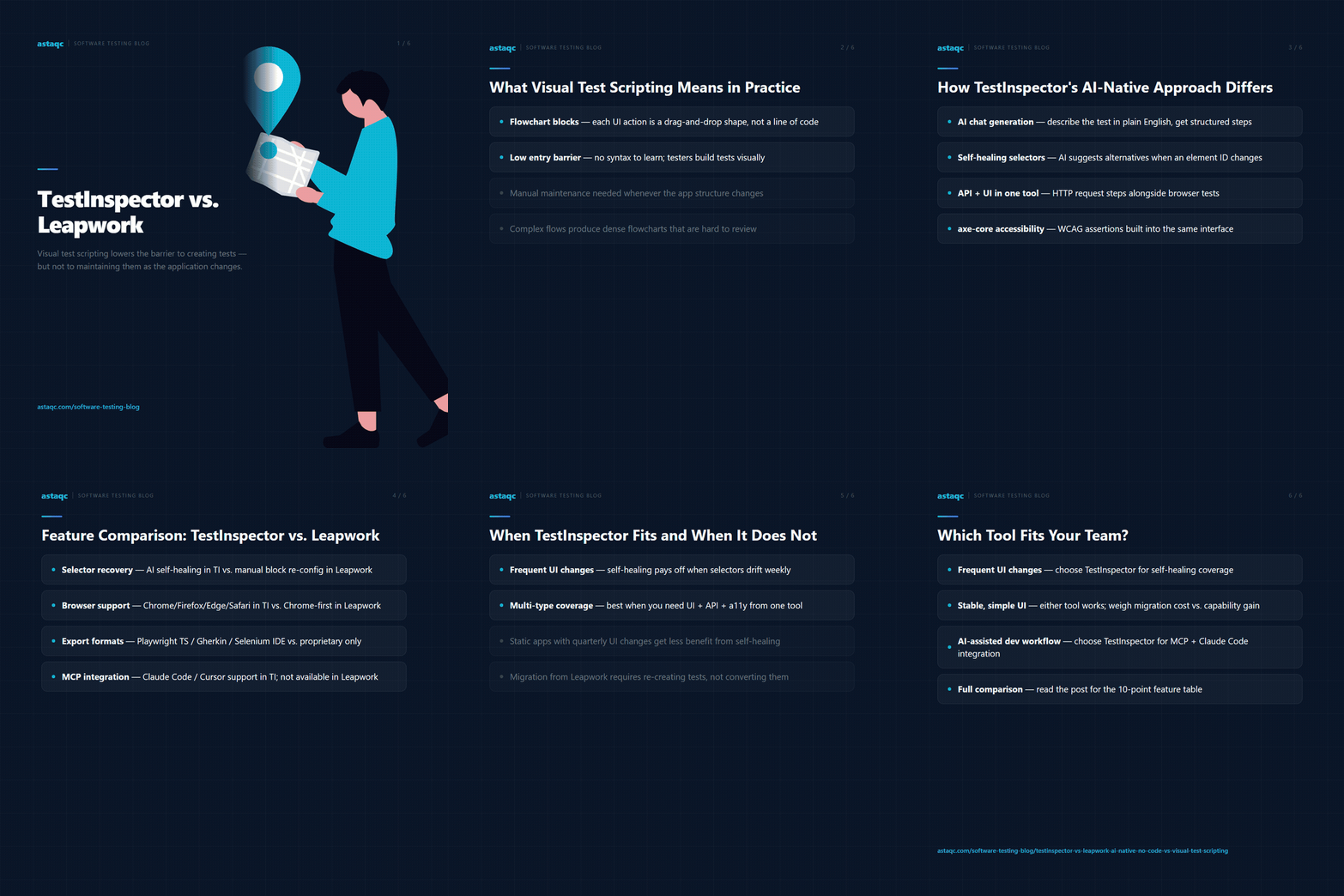
TestInspector generates tests through an AI chat interface where QA engineers describe what they want to test in natural language. The AI translates those descriptions into structured test steps — each step is a discrete, human-readable action or assertion with a specific selector, input value, or expected output. The structured step representation makes tests reviewable at a glance: a step list for a login test reads as “navigate to login page, enter username, enter password, click sign-in button, assert dashboard heading is visible” rather than as a flowchart requiring visual traversal.
The self-healing mechanism addresses the maintenance problem that visual scripting tools leave unsolved. When a selector in a TestInspector step fails on execution — because the element’s ID changed, the button’s text changed, or the DOM structure was reorganized — the tool’s AI suggests alternative selectors based on the element’s attributes, position, and surrounding context. The QA engineer reviews the suggestion and approves it, updating the step’s selector without re-recording or manually searching for the element in the visual editor. For applications with frequent UI changes, this reduces the maintenance cycle from a multi-step manual process to a review-and-approve action on a specific suggestion.
TestInspector also extends test coverage beyond UI interactions. HTTP request steps allow QA engineers to test API endpoints directly within the same test workflow — GET, POST, PUT, PATCH, and DELETE requests with status code and response body assertions. Accessibility assertions using axe-core validate WCAG compliance at the page level with configurable severity thresholds. Variable interpolation using {{VAR}}, {{TIMESTAMP}}, {{ALPHANUMERIC}}, and {{TOTP:secret}} handles dynamic test data without requiring external data management tooling. These capabilities are available in the same no-code interface used for UI testing, rather than requiring a separate tool or codebase for each testing type. For teams evaluating how to consolidate their testing toolchain, Astaqc test automation services can assess whether a unified no-code platform reduces the overhead of maintaining separate tools for UI, API, and accessibility testing.
Evaluating these two platforms requires looking beyond the no-code label to examine how they handle the specific capabilities that determine whether a QA team can depend on them for production coverage.
| Capability | TestInspector | Leapwork |
|---|---|---|
| Test creation method | AI chat generates structured steps; browser extension for recording | Visual flowchart editor with drag-and-drop blocks |
| Selector recovery after UI changes | AI self-healing with selector suggestions on failure | Manual update of affected flow blocks required |
| API testing | Native HTTP request steps (GET/POST/PUT/PATCH/DELETE) with assertions | Limited; primarily UI-focused with separate integrations needed |
| Accessibility testing | axe-core assertions with WCAG severity levels | Not natively available |
| Browser support | Chrome, Firefox, Edge, Safari via Selenium | Chrome; limited multi-browser support |
| Visual regression | SSIM screenshot comparison with baseline approval and crop selectors | Not natively available |
| CI/CD integration | API trigger endpoint; scheduling via cron, interval, or one-time | Available via Leapwork platform integration |
| AI coding assistant integration | MCP tokens for Claude Code, Cursor, Claude Desktop | Not available |
| Export formats | Playwright TypeScript, Selenium IDE (.side), Gherkin | Leapwork-proprietary format |
| Run streaming | Live WebSocket streaming of test execution | Results available after run completion |
The table above reflects the current state of these platforms as documented on their respective sites. Teams evaluating either tool should run proof-of-concept tests on their actual application before making a procurement decision, as platform capabilities evolve. For teams that have already procured a tool but are experiencing maintenance or coverage gaps, Astaqc hire QA team services can provide QA engineers who can assess the fit between the tool and the team’s testing requirements. The manual testing vs. automated testing guide provides context on how to evaluate automation coverage targets before committing to a specific toolchain.
TestInspector is well-suited for QA teams with two or more of the following characteristics: the application under test changes frequently enough that selector drift is an ongoing maintenance burden; the team needs to cover UI, API, and accessibility testing without maintaining separate tools for each; the team works in a structured CI/CD pipeline and needs to trigger test runs from pipeline events with programmatic reporting; or the team uses AI coding assistants like Claude Code or Cursor and wants to integrate test generation into the development workflow rather than treating it as a separate QA process.
For teams whose testing needs are primarily confined to stable, largely static UI flows with infrequent application changes, the self-healing benefit is less material. If the application’s UI changes quarterly rather than weekly, the selector maintenance overhead in a visual scripting tool is low enough that it does not justify switching platforms. Similarly, for organizations that have already built deep Leapwork expertise across a large QA team, the retraining and migration cost is a real factor that should be weighed against the capability differences. The migration path from Leapwork is also less straightforward than migrations from code-based frameworks, because Leapwork’s visual scripts do not export to standard formats that can be imported into TestInspector; tests would need to be re-created rather than converted.
TestInspector’s export capabilities — Playwright TypeScript, Selenium IDE, and Gherkin — provide a significant vendor flexibility advantage over Leapwork’s proprietary format. A team that starts with TestInspector for no-code accessibility and then needs to extend into complex custom test logic can export to Playwright TypeScript and build on the generated test structure rather than starting from scratch. This exit path reduces the lock-in risk that has historically been a concern with no-code testing platforms. For teams assessing how no-code testing integrates with their existing development and deployment workflow, Astaqc test automation services can assess the integration points and configure the TestInspector trigger API to fit the team’s CI/CD pipeline. The outsourced software testing guide covers how teams that do not have in-house QA capacity can structure a testing engagement that uses the right tool for their coverage needs and risk profile. Information about TestInspector’s specific capabilities is available at TestInspector’s product page.
No. TestInspector’s AI chat interface accepts natural language descriptions of what to test and generates structured steps without requiring the tester to write any code. The browser extension allows recording interactions directly from the browser, which also requires no coding. For teams with developers who want to extend tests or integrate with code-based pipelines, TestInspector exports to Playwright TypeScript and Gherkin, but the core creation and maintenance workflow does not require any coding skill.
When a test step’s selector fails because the element’s identifier has changed, TestInspector’s self-healing mechanism identifies the element using alternative attributes — CSS classes, accessible names, element text, or surrounding structural context — and presents a selector suggestion. The QA engineer reviews and approves the suggestion to update the step, rather than manually searching for the element or re-recording the interaction. This mechanism reduces but does not eliminate maintenance effort; for applications with extremely high rates of DOM change, any test automation tool requires more frequent attention.
TestInspector’s HTTP request steps cover the core API testing use cases — GET, POST, PUT, PATCH, and DELETE requests with status code, response body, and header assertions — within the same no-code interface used for UI testing. For teams whose API testing requirements are limited to regression checks against documented endpoints, TestInspector can consolidate what was previously handled by Postman and the UI test tool into a single platform. For teams with complex API testing requirements like contract testing, schema validation against OpenAPI specifications, or load testing, a dedicated API testing tool remains the appropriate choice.
The interface and mental model are different enough that a QA engineer familiar with Leapwork’s visual flowchart editor will need time to adapt to TestInspector’s step-based and chat-based creation workflow. In practice, most QA engineers who have used any test automation tool become productive with TestInspector’s core creation and execution workflow within two to three days. The main transition effort is re-creating existing Leapwork tests in TestInspector, which requires running through each test scenario and using the AI chat or browser extension to generate the equivalent structured steps. For manual testing teams without prior automation tool experience, the onboarding curve is typically shorter.
Yes. Variable interpolation in TestInspector allows base URL and environment-specific values to be set at the suite or organization level, so the same test steps can be executed against staging and production environments by changing a variable value rather than maintaining separate test suites. Combined with the scheduling and trigger API, this enables workflows where a suite runs against staging on every CI deployment and against production on a scheduled basis for synthetic monitoring. The AI in software testing guide covers how AI-native testing tools fit into multi-environment quality strategies in 2026.
Visual test scripting reduces the barrier to creating tests but not to maintaining them. When the application changes, the visual flowchart requires the same manual rework as any other test artifact. AI-native test generation changes this by using self-healing selectors and structured step representations that adapt automatically, reducing maintenance burden rather than just shifting it to a different interface.
August 22, 2026


Sign up to receive and connect to our newsletter

We founded ASTAQC as a tight-knit group of professional Software Testers and software developers.
Subscribe to our Newsletter