August 24, 2026
Ghost Inspector is a cloud-based browser testing platform that records user actions as automated scripts and replays them to detect UI regressions. TestInspector is an AI-native no-code platform that generates test cases as structured steps through a conversational interface and executes them via managed Selenium on Chrome, Firefox, Edge, and Safari. The two tools address the same need — automated browser regression testing — through fundamentally different approaches to test creation: Ghost Inspector captures sessions; TestInspector constructs assertions. Teams switch when the maintenance cost of recorded selectors grows beyond what the testing saves, and when cross-browser and scheduling requirements outgrow what a recording-based tool provides.
Ghost Inspector is a hosted browser testing service oriented toward teams that want to get automated regression tests running without writing test framework code. Users install a Chrome extension, record a user session, and Ghost Inspector converts that session into an automated test script. The tool supports scheduled runs, webhook notifications, and basic conditional logic. It integrates with CI/CD pipelines via API and provides a visual suite editor where recorded steps can be rearranged and modified.
Ghost Inspector's primary strength is speed to first test: a non-technical user can record a login, checkout, or form submission flow in minutes without configuring a framework, installing dependencies, or writing any code. For teams with limited QA resources that need regression coverage quickly, this accessibility has practical value. The tool works well for stable UIs where recorded selectors do not drift — landing pages, marketing sites, and admin interfaces with low churn. For these cases, recorded tests that run on a schedule and alert on failures provide meaningful regression coverage at low setup cost.
The limitations emerge at scale. Recorded selectors — typically XPath or CSS selectors derived from the DOM state at recording time — are fragile against UI changes. A redesigned button, a changed class name, or a reordered element in the DOM breaks the recorded test. Ghost Inspector provides a visual editor for manually updating selectors, but for applications with frequent UI changes, the selector maintenance effort accumulates. The tool does not provide AI-assisted selector recovery; broken tests require manual inspection and repair. Cross-browser coverage is limited: Ghost Inspector runs primarily on Chrome. For teams that need to validate behavior on Firefox, Edge, and Safari, the platform does not cover those cases without additional tooling. Internal or authenticated applications behind a firewall are harder to test because the recording and execution infrastructure is hosted remotely.
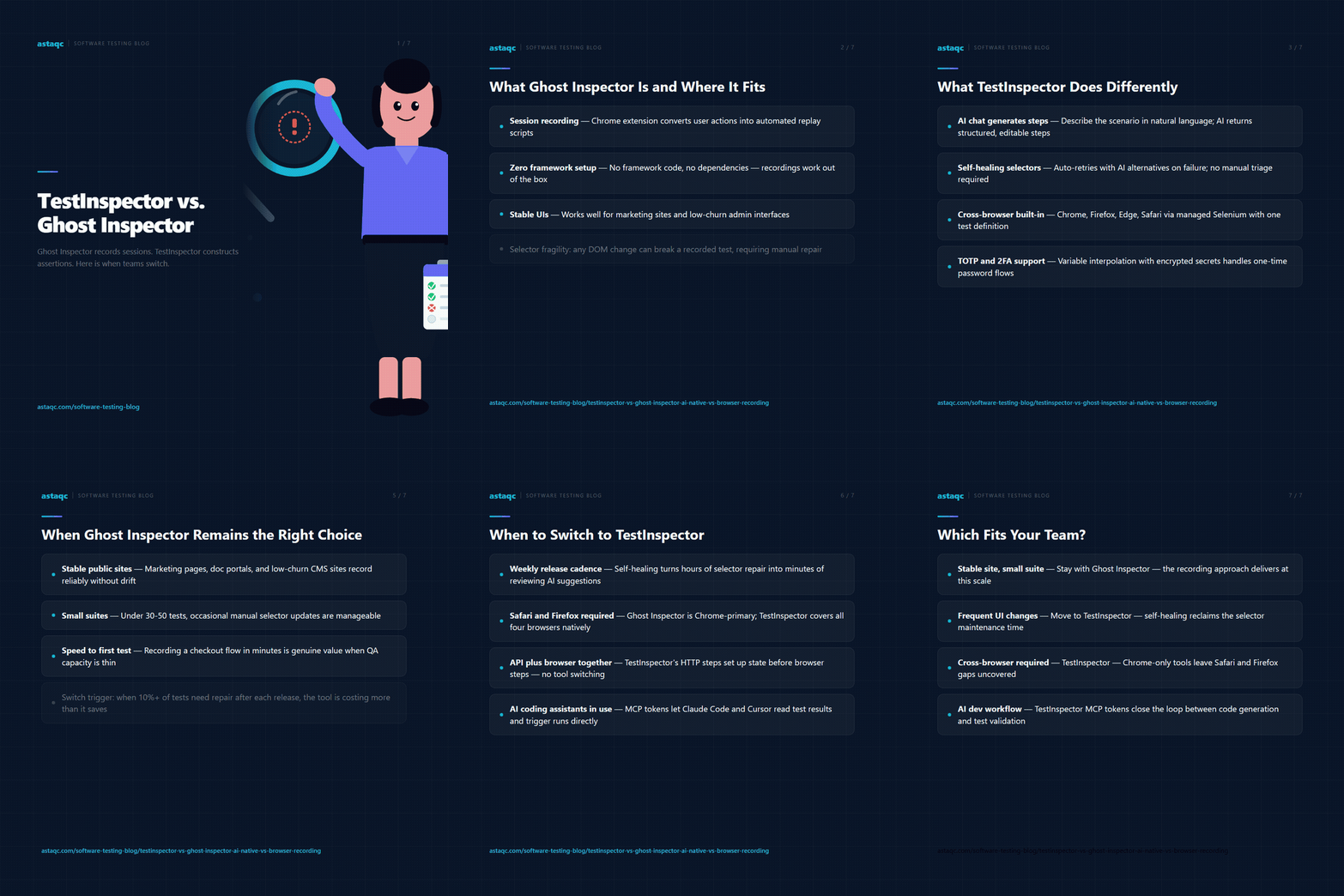
TestInspector generates tests through an AI chat interface rather than recording user sessions. A QA engineer describes the scenario in natural language — “log in with valid credentials and verify the dashboard loads with the user’s name” — and the AI generates the test as structured steps: navigate to URL, fill field, click element, assert text. These steps are editable, parameterizable, and stored as structured data rather than as fragile recorded sequences. Because the test is constructed as a set of assertions rather than a replay of a captured session, the test describes what should be true rather than what happened during a specific recording.
Self-healing is built into the execution layer. When a step fails because a selector no longer matches, TestInspector auto-retries using alternative selectors generated by the AI and flags the failure with suggestions for correcting the stored selector. This is different from Ghost Inspector’s approach, where a broken selector stops the test and requires manual intervention to identify a working selector. The self-healing behavior reduces the maintenance burden for UIs that change frequently without requiring manual triage of every selector change.
Cross-browser execution covers Chrome, Firefox, Edge, and Safari via managed Selenium. A single test defined in TestInspector can run across all four browsers without additional configuration or browser-specific scripting. This is relevant for teams that need to validate behavior differences across browsers — particularly Safari, which has consistent layout and JavaScript behavior differences from Chromium-based browsers. Test scheduling supports cron expressions, fixed intervals, and one-time triggers, with live WebSocket streaming of run progress. Variable interpolation supports {{TIMESTAMP}}, {{ALPHANUMERIC}}, and {{TOTP:secret}} for 2FA testing, with variables scoped at test, suite, and organization levels. For teams evaluating no-code AI test automation, TestInspector and Astaqc test automation services both provide paths to scalable browser test coverage. The manual testing vs. automated testing guide provides context on where recorded browser testing fits within a broader test strategy.
| Dimension | Ghost Inspector | TestInspector |
|---|---|---|
| Test creation | Browser session recording via Chrome extension | AI chat interface generates structured steps; browser extension also available for recording |
| Selector maintenance | Manual; broken selectors require visual editor inspection | AI auto-retry with selector suggestions on failure |
| Browser support | Chrome-primary; limited cross-browser | Chrome, Firefox, Edge, Safari via managed Selenium |
| Variable interpolation | Basic variables within test steps | {{TIMESTAMP}}, {{ALPHANUMERIC}}, {{TOTP:secret}}, org/suite/test hierarchy with encrypted storage |
| API testing | Not supported as first-class steps | HTTP request steps with GET/POST/PUT/PATCH/DELETE and status/body assertions |
| Accessibility testing | Not available | axe-core assertions with severity level filtering |
| Visual regression | Screenshot comparison available | SSIM screenshot comparison with baseline approval, crop and exclusion selectors |
| Test export | JSON export; limited framework output | Playwright TypeScript, Selenium IDE (.side), Gherkin |
| CI/CD integration | Webhook and API trigger | CI/CD trigger API; MCP tokens for Claude Code, Cursor, Claude Desktop |
| Team management | Organization accounts with user roles | Multi-tenant orgs with owner/admin/member roles |
| Run streaming | Screenshots and logs after run | Live WebSocket run streaming |
The capability gap most relevant to teams growing their test suite is the difference in selector recovery. Ghost Inspector requires manual triage when selectors break; TestInspector’s self-healing layer handles the recovery automatically. For applications with release cycles shorter than a week, the manual triage cycle in Ghost Inspector often results in a growing backlog of broken tests rather than a maintained suite. For teams assessing whether their current tool handles their release velocity, Astaqc software testing services can audit existing test suites and identify maintenance patterns that indicate tool fit problems. The AI in software testing guide provides context on how AI-assisted selector recovery compares to manual maintenance at different release velocities.
Ghost Inspector is a reasonable choice for teams with specific constraints that align with its design. If the application under test is a stable, public-facing site — a marketing site, a documentation portal, a content CMS — where selectors rarely change and regression testing is primarily about page availability and content rendering, Ghost Inspector’s recording-based approach produces reliable tests with low maintenance overhead. The speed of recording a new test from a browser session is genuine value when the content team needs coverage for a new landing page and a QA engineer is not immediately available to construct steps manually.
Ghost Inspector is also appropriate when the test suite is small and the team has the capacity to perform manual selector updates as needed. For suites below 30 to 50 tests, the maintenance load of occasional selector updates is manageable without automation. The trigger to revisit the tool choice is usually when the percentage of tests requiring repair after each release reaches 10% or more of the suite, at which point the maintenance cost exceeds the test value for the affected tests. For teams at this inflection point, test automation services cover options for moving to a more maintainable testing approach without discarding existing coverage.
The migration case for TestInspector becomes concrete in several specific situations. The first is when the UI release cadence is weekly or faster and selector drift is creating a repair backlog after each release. Self-healing reduces the per-release maintenance cost from hours of manual selector updates to minutes of reviewing AI suggestions. The second situation is when cross-browser testing becomes a requirement — typically when Safari-specific issues start reaching users and need systematic regression coverage, or when the product must support Firefox for an enterprise or government audience. Ghost Inspector’s Chrome-centric execution does not cover these requirements without adding separate tooling.
The third situation is when API testing needs to run alongside browser tests in the same workflow. TestInspector’s HTTP request steps allow a test to call an API to set up test state, run browser steps against the resulting state, then call an API to verify backend effects — all within a single test without switching tools. Ghost Inspector does not provide API test steps as a first-class feature. The fourth situation is when the team starts working with AI coding assistants like Claude Code or Cursor: TestInspector’s MCP token support allows AI assistants to read test results, trigger test runs, and create test cases during development sessions, closing the loop between code generation and test validation. For teams ready to evaluate the switch, Astaqc hire QA team can support the migration with engineers experienced in no-code AI test platforms. The complete testing guide covers how to assess tool fit when evaluating alternatives to an existing automation tool.
They can operate simultaneously — Ghost Inspector runs its existing suite while TestInspector covers new tests or high-churn areas. In practice, most teams that adopt TestInspector migrate existing tests over time rather than maintaining two systems long-term, because the maintenance overhead of keeping both tools current exceeds the stability benefit of gradual migration. The exception is teams where different stakeholders own different parts of the test suite and organizational constraints make a full migration impractical in the short term.
TestInspector includes a browser extension for recording sessions, providing a recording path similar to Ghost Inspector for users who prefer to capture steps from live interaction. The difference is that recorded steps in TestInspector are stored as structured step definitions rather than as raw XPath sequences, and can be edited, parameterized, and extended with AI-generated additional steps. The recording workflow is available alongside the chat-based step generation, so teams can choose the authoring approach that fits the scenario.
When a selector-based step fails during a run, TestInspector’s execution layer attempts alternative selectors generated by the AI based on the element’s visible text, role, and surrounding DOM context. If an alternative selector succeeds, the run completes and TestInspector marks the step as healed, suggesting the updated selector for review and approval. If no alternative succeeds, the step fails and the run is marked as failed with the failed selector and AI suggestions for resolution. The heal-and-suggest cycle is automatic — the test does not need to be manually opened for inspection unless the auto-healed selector needs review before becoming the new default.
Ghost Inspector tests are not directly importable into TestInspector. Migration involves recreating tests using TestInspector’s chat interface or browser extension. In practice, teams prioritize recreation of tests that are actively breaking due to selector drift — these are the tests where TestInspector’s self-healing provides immediate value — and recreate the stable portion of the suite on a lower-priority schedule. A team migrating 50 tests typically completes the high-priority recreation in a few days and the full suite over two to four weeks, depending on test complexity and QA capacity. For teams that need support during migration, Astaqc manual testing services can supplement QA capacity during the transition period.
TestInspector executes via managed Selenium infrastructure, which requires network access to the application under test. For applications running in private networks or behind firewalls, the application needs to be accessible to the execution environment via a VPN connection, a secure tunnel, or temporary network rule changes during test runs. This is a constraint shared with Ghost Inspector and most cloud-hosted browser testing platforms. Teams with strict network isolation requirements typically run their test automation on self-managed infrastructure using Selenium Grid or Playwright directly, where they retain full control over execution network access. For guidance on test infrastructure strategy, performance testing and testing documentation services cover how to structure test execution environments for applications with varying network accessibility requirements.
The maintenance ceiling of a recorded test suite is reached when selector repair after each release consumes more QA time than the tests save. At that point, the tool is generating debt faster than coverage — and the decision is no longer about features, but about whether the testing approach can sustain the release pace.
August 24, 2026


Sign up to receive and connect to our newsletter

We founded ASTAQC as a tight-knit group of professional Software Testers and software developers.
Subscribe to our Newsletter