September 14, 2026
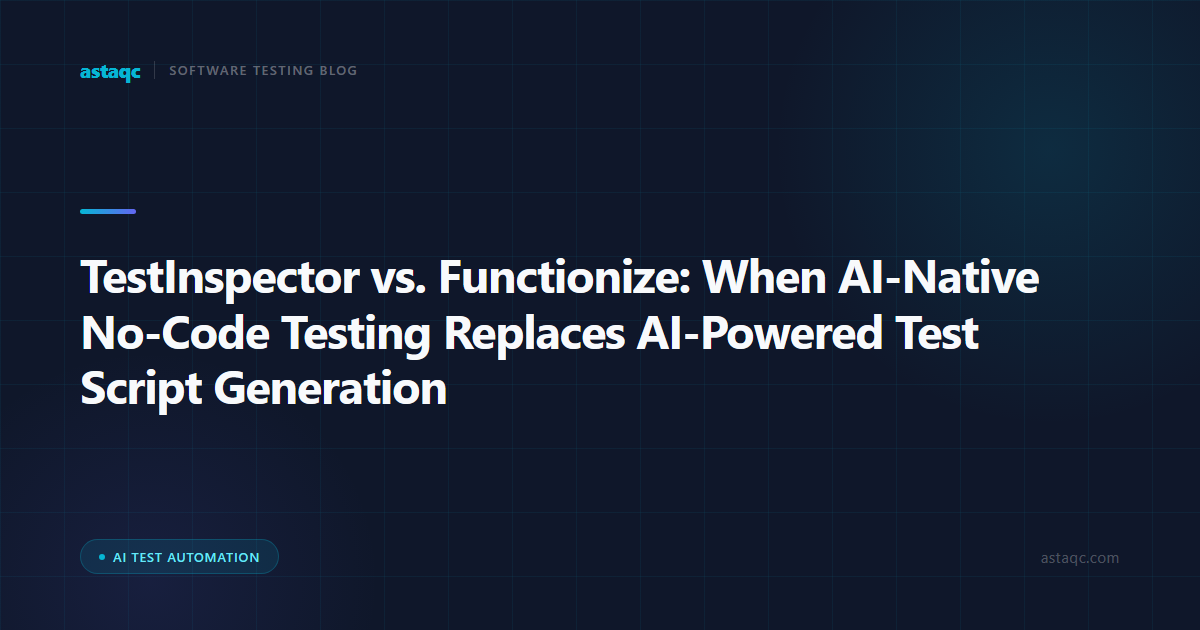
TestInspector and Functionize are both AI-powered test automation tools that accept natural language input to create tests, but they produce fundamentally different outputs. Functionize generates Selenium-based test scripts that your team runs, stores, and maintains inside a framework. TestInspector produces structured test steps that execute directly on managed browser infrastructure without generating any code. For teams evaluating which to use, the deciding factor is whether AI-assisted script generation solves your maintenance problem or whether eliminating the script layer entirely is a better fit for how your team works.
The practical implication of this difference is significant. With Functionize, the AI drafts the test script, but your team still owns the execution environment, the framework dependencies, the CI/CD integration, and the Selenium version pinning. With TestInspector, there is no script layer to maintain: tests run on managed browsers, broken selectors are repaired automatically through AI suggestions, and the entire execution stack is managed outside your team's infrastructure. Neither approach is better in all situations—the right choice depends on whether your team has existing framework investment and Selenium expertise, or whether you want to stop maintaining automation infrastructure entirely. Astaqc's test automation services team works with organizations at both stages of that decision.
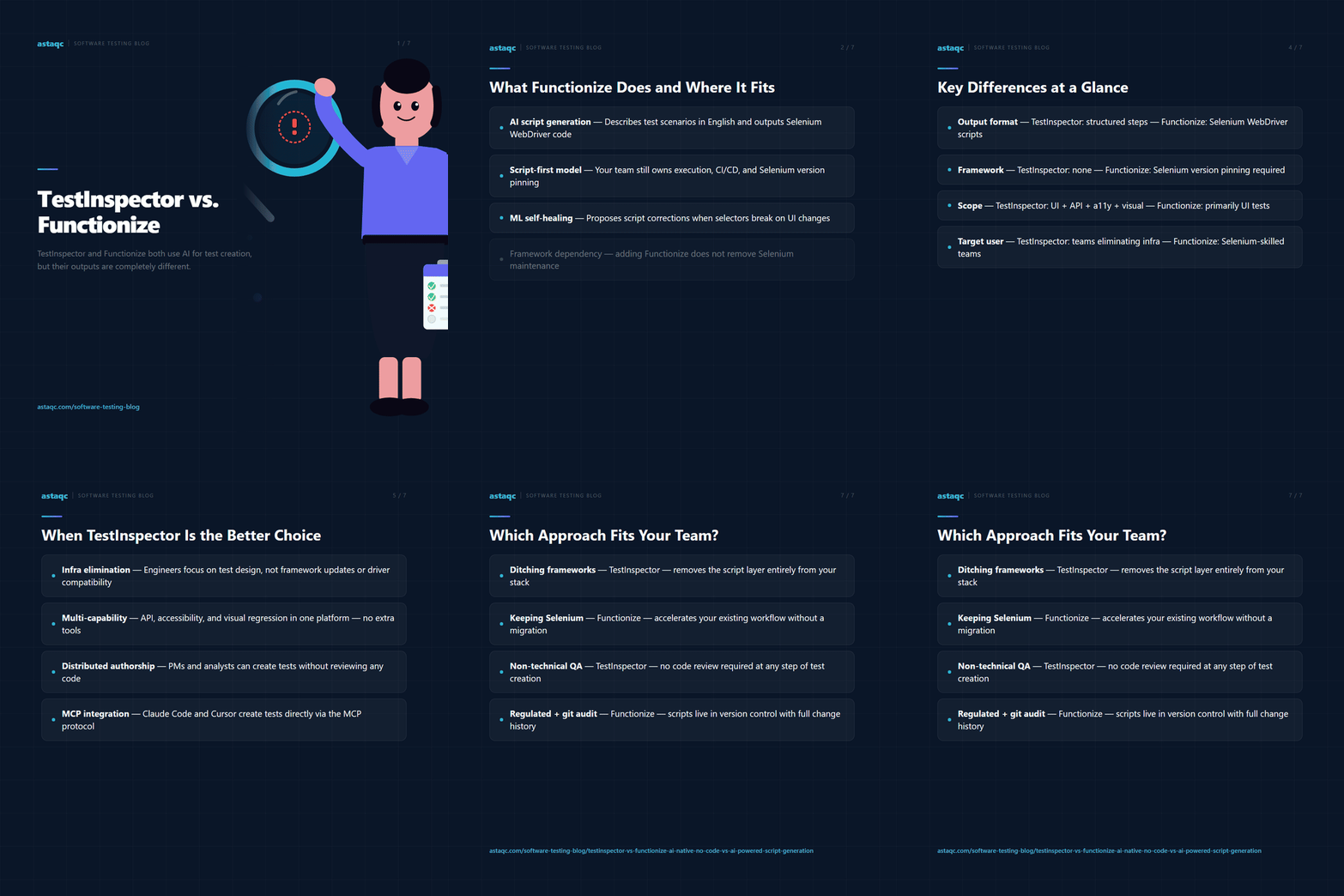
Functionize is a cloud-based test automation platform that uses a natural language interface to create Selenium WebDriver scripts from test descriptions. A QA engineer describes a test scenario in plain English, and Functionize generates the corresponding script. That script can be exported to run in your own CI pipeline or executed on Functionize's cloud infrastructure. The key point is that Functionize is a script generation tool: the output is code, and that code has the same maintenance characteristics as manually written Selenium scripts when the application UI changes—it breaks, and someone needs to fix it or wait for Functionize's ML-based self-healing to propose a repair.
Functionize targets teams with established Selenium workflows that want to reduce the time spent writing test scripts from scratch. It fits teams where QA engineers or developers have Selenium knowledge and want to retain that skill set while accelerating initial test creation. It is less suited to teams that want to remove Selenium from their stack entirely or that have QA members without programming backgrounds who cannot review or debug Selenium scripts when they fail. The framework dependency does not disappear—it shifts from manual script authoring to AI-assisted script authoring, with the same underlying execution model.
TestInspector replaces the script layer with a structured step model. Using the AI chat interface, a QA engineer describes what the test should do—navigate to a page, fill a form, verify a value—and TestInspector creates discrete, editable test steps with no code output. Those steps run on TestInspector's managed Selenium grid across Chrome, Firefox, Edge, and Safari. There is no framework to install, no WebDriver binary to manage, and no version compatibility matrix to track. The test lives in TestInspector's platform, and execution results stream live to the engineer's browser via WebSocket.
The maintenance difference is practical. When a selector breaks in TestInspector because a UI element changes, the platform's self-healing mechanism identifies alternative selectors and surfaces AI-suggested replacements with a single-click apply. The engineer reviews the suggestion, approves it, and the test continues running without touching any code. Functionize's self-healing operates at the script level: it detects that a script step is failing, proposes a corrected selector, and can auto-apply the change—but the change is made to a Selenium script that the team also has the option to edit manually. For teams that prefer to work entirely outside script editors, TestInspector's model removes that option entirely, which is either a benefit (nothing to accidentally break in code) or a constraint (no manual escape hatch into the underlying script).
TestInspector also handles capabilities that require no separate integration setup. Accessibility testing via axe-core is built in as a test assertion type. HTTP API testing—GET, POST, PUT, PATCH, DELETE requests with status code and body assertions—uses the same step model as UI testing. Variable interpolation with TOTP secrets, timestamps, and alphanumeric tokens is handled within the test editor without separate tooling. For teams that need all of these from a single platform without assembling multiple tools, the scope difference compared to Functionize is material. Functionize is primarily a UI test script generator; TestInspector is a test execution platform with API testing, accessibility testing, and visual regression as native capabilities. See the full capability overview at TestInspector's product page.
The table below compares the two platforms across the dimensions most relevant to QA teams evaluating them for a primary automation platform.
| Dimension | TestInspector | Functionize |
|---|---|---|
| Test output format | Structured steps — no code generated | Selenium WebDriver scripts |
| Framework requirement | None — execution on managed infrastructure | Selenium (version pinning required) |
| Self-healing mechanism | AI selector suggestions with single-click apply | ML script repair with manual or auto-apply option |
| API testing | Native HTTP step support (all methods and status/body assertions) | Limited — primarily UI test generation |
| Visual regression | Native SSIM screenshot comparison with baseline approval | Not a core feature |
| Accessibility testing | Native axe-core assertions with WCAG severity levels | Not included |
| CI/CD integration | Trigger API for external pipelines; native scheduling via cron and interval | Script export runs in your existing pipeline infrastructure |
| Export formats | Playwright TypeScript, Selenium IDE (.side), Gherkin | Selenium WebDriver script (primary format) |
| Target user profile | QA engineers who want to eliminate framework maintenance | Teams with Selenium expertise who want faster script creation |
The most significant difference in practice is the framework dependency. Teams that adopt Functionize still need to answer questions about which Selenium version to use, how to handle browser driver updates, and who owns framework changes when Selenium or the browser driver has a breaking release. Teams that adopt TestInspector do not answer any of those questions—the platform handles them. This matters most for small QA teams that want to focus on test design rather than infrastructure, and for organizations scaling automation to non-engineering roles where debugging Selenium script failures is not a reasonable expectation. Astaqc's manual testing vs. automated testing guide covers the broader decision framework for choosing between code-based and no-code execution models.
TestInspector fits best when the team has decided that maintaining automation infrastructure is a cost they want to eliminate, not reduce. If your QA engineers spend time on framework updates, browser driver compatibility, Selenium grid management, or CI runner configuration for test execution, those hours are available for test design and coverage expansion instead. TestInspector absorbs that infrastructure cost inside its platform.
It is also a better fit when QA coverage needs to extend beyond UI testing to API testing, accessibility testing, and visual regression without adding separate tools for each. A team using Functionize for UI testing and separate tools for API and accessibility testing pays an integration and maintenance cost across multiple platforms that compounds as the team grows. TestInspector covers all four capabilities from a single step model, which keeps the tooling stack manageable for teams without a dedicated automation engineering team.
The no-code execution model also expands who can create and maintain tests. Product managers, business analysts, and customer support engineers can create TestInspector test steps because there is no script syntax to learn or review. Functionize's interface lowers the barrier to describing test scenarios, but the output is a Selenium script that requires technical review to verify that the generated assertions are correct. For teams that want to distribute test creation across roles without requiring script literacy, TestInspector's model is more inclusive. Astaqc's QA team augmentation services frequently use TestInspector as the execution platform when expanding QA coverage to teams without dedicated automation engineers.
Functionize fits teams with an existing Selenium investment that want to preserve optionality. If your test suite already contains a large number of Selenium scripts, a Functionize adoption allows you to generate new scripts in the same format and keep the existing suite operational without a platform migration. TestInspector requires that you create new tests in its step format—there is no path to importing existing Selenium scripts and running them as-is inside the platform.
Functionize also fits teams that specifically need Selenium script output for compliance or audit purposes. Some regulated environments require that test scripts be stored in version control as auditable artifacts with line-by-line change history. TestInspector's step model is auditable within the platform, and tests can be exported to Gherkin or Playwright TypeScript, but the primary audit trail is inside the platform rather than in the team's git repository. Teams with hard requirements for script-level version control in git would need to rely on TestInspector's export functionality rather than native script storage, which is a process difference worth evaluating before committing to the platform. Astaqc's software testing services team conducts tool selection assessments that map team profile to platform fit for exactly this kind of requirement.
No. TestInspector does not generate scripts as its primary output. It creates structured test steps that execute on managed browser infrastructure. TestInspector can export tests to Playwright TypeScript, Selenium IDE format, and Gherkin for use in external frameworks, but the native execution model does not involve script files. Teams that need to run test output in their own Selenium framework should treat TestInspector's exports as a secondary format and evaluate whether Functionize or a similar script-generation tool is a better primary platform for their workflow.
TestInspector allows non-technical team members to create and run tests without reviewing code, because no code is produced. Functionize's natural language interface lowers the barrier to describing test scenarios, but the output is a Selenium script that requires technical review to verify that the generated assertions are correct. In practice, non-technical contributors are more productive in TestInspector because the review step does not require script literacy—reviewing steps in plain language is accessible to anyone familiar with the feature being tested.
TestInspector runs tests across Chrome, Firefox, Edge, and Safari on managed infrastructure—no local browser installation or driver binary management is required. Functionize executes on cloud infrastructure as well, but the underlying scripts are Selenium-based, which means browser driver compatibility is a managed concern within the Functionize platform. For teams that need consistent multi-browser execution without local setup, both tools provide managed execution; the difference is primarily in whether the team is working with script files or with step-based test definitions.
In TestInspector, a broken selector triggers the self-healing mechanism: the platform detects the failure, analyzes the current DOM, and presents AI-suggested replacement selectors that the engineer can apply with a single click. In Functionize, the ML-based healing detects the broken script step, proposes a correction, and can apply it automatically or with engineer approval depending on confidence level. TestInspector's repair is applied directly to the step with no code change to commit; Functionize's repair modifies a Selenium script file, which may then need to be committed to version control depending on your team's workflow.
TestInspector provides MCP tokens that connect Claude Code, Cursor, and Claude Desktop to the TestInspector platform, allowing AI coding assistants to create and update tests through the MCP protocol. An engineer working in Claude Code can instruct the assistant to create a test for a new feature and the test appears in TestInspector's step format directly. Functionize's integration model is through API endpoints; native integration with AI coding assistants via the MCP protocol is not a Functionize capability. For teams already using Claude Code or Cursor as their primary development environment, TestInspector's MCP integration is a meaningful workflow difference. Visit TestInspector for details on the MCP token setup.
Total cost of ownership comparisons need to account for infrastructure costs not visible in the license fee. Functionize's license gives you script generation; running those scripts at scale still requires CI runner time, grid infrastructure or cloud browser provider costs, and engineering time for framework maintenance. TestInspector's pricing includes managed execution, so the infrastructure cost is inside the subscription rather than separate. For small teams where engineering time is the binding constraint, the all-in cost of TestInspector is frequently lower than Functionize plus the supporting infrastructure it requires, even if the base license price is similar. Astaqc's software testing cost guide covers how to structure a total cost comparison across automation platforms.
Functionize speeds up how fast you write Selenium scripts. TestInspector removes the question of whether you need Selenium scripts at all. The right tool depends entirely on which problem your team is trying to solve.
September 14, 2026


Sign up to receive and connect to our newsletter

We founded ASTAQC as a tight-knit group of professional Software Testers and software developers.
Subscribe to our Newsletter