September 17, 2026
Network condition testing is the practice of validating how your application behaves when the network is slow, congested, or unreliable—conditions that standard automated test suites running on CI infrastructure do not simulate. Most test pipelines run checks on fast, local or data-center networks where latency is under 10ms and bandwidth is effectively unlimited. Real users on mobile connections, satellite links, rural broadband, or congested office networks experience latency of 200ms to 2000ms and bandwidth measured in kilobits per second rather than megabits. Applications that pass every automated test on a fast network can fail completely under those conditions: JavaScript bundles that take 30 seconds to load, API requests that time out before a spinner resolves, forms that fail silently because the submission request exceeded a hard timeout, and images that block page interactivity on 3G speeds. The 2026 engineering pattern that surfaced this most clearly: teams throttling their staging environments to 3G to observe real user behavior and finding that entire user flows—previously considered stable and well-covered by tests—became unusable.
This article covers why network conditions create failures that standard tests miss, how to simulate specific network profiles in automated test suites, which tools support network throttling in CI environments, what scenarios to prioritize for testing under degraded conditions, and how to integrate network-condition tests into a CI/CD pipeline without creating a slow-feedback bottleneck. For background on building a complete testing strategy, see Astaqc’s software testing guide.
Standard automated tests are designed to verify that the application’s logic is correct. Correctness testing—does this button submit the form, does the API return the right data, does the page render the expected content—is network-condition-agnostic: the test passes whether the network takes 5ms or 5 seconds to respond, as long as it eventually responds. The timeout values in most test frameworks are set high enough (30 seconds in many default configurations) that they do not reflect user-facing timeout thresholds. A test that takes 45 seconds to load a page because of a slow API response might still pass if the framework timeout is 60 seconds, even though a real user would have abandoned the page after 8 seconds and reported the feature as broken.
The categories of network-related failure that standard tests do not catch include: resource loading waterfalls where a slow CDN response blocks JavaScript execution and freezes interactivity, race conditions in frontend code that only appear under high latency (component A renders before the API response arrives and renders again when it does, producing visible flickering or incorrect intermediate state), partial response failures where a large JSON payload is cut short by a timeout and the application does not handle the parse error, and retry-storm behavior where frontend code retries a failed request aggressively and causes server overload when the network recovers. Each of these failures requires a specific network profile to reproduce, and none of them appear in tests running on a fast local network. Astaqc’s automation engineering team has identified network condition gaps as a consistent source of production incidents in web applications with mobile user bases.
There are three primary approaches to network simulation in automated test contexts, each with different scope and precision.
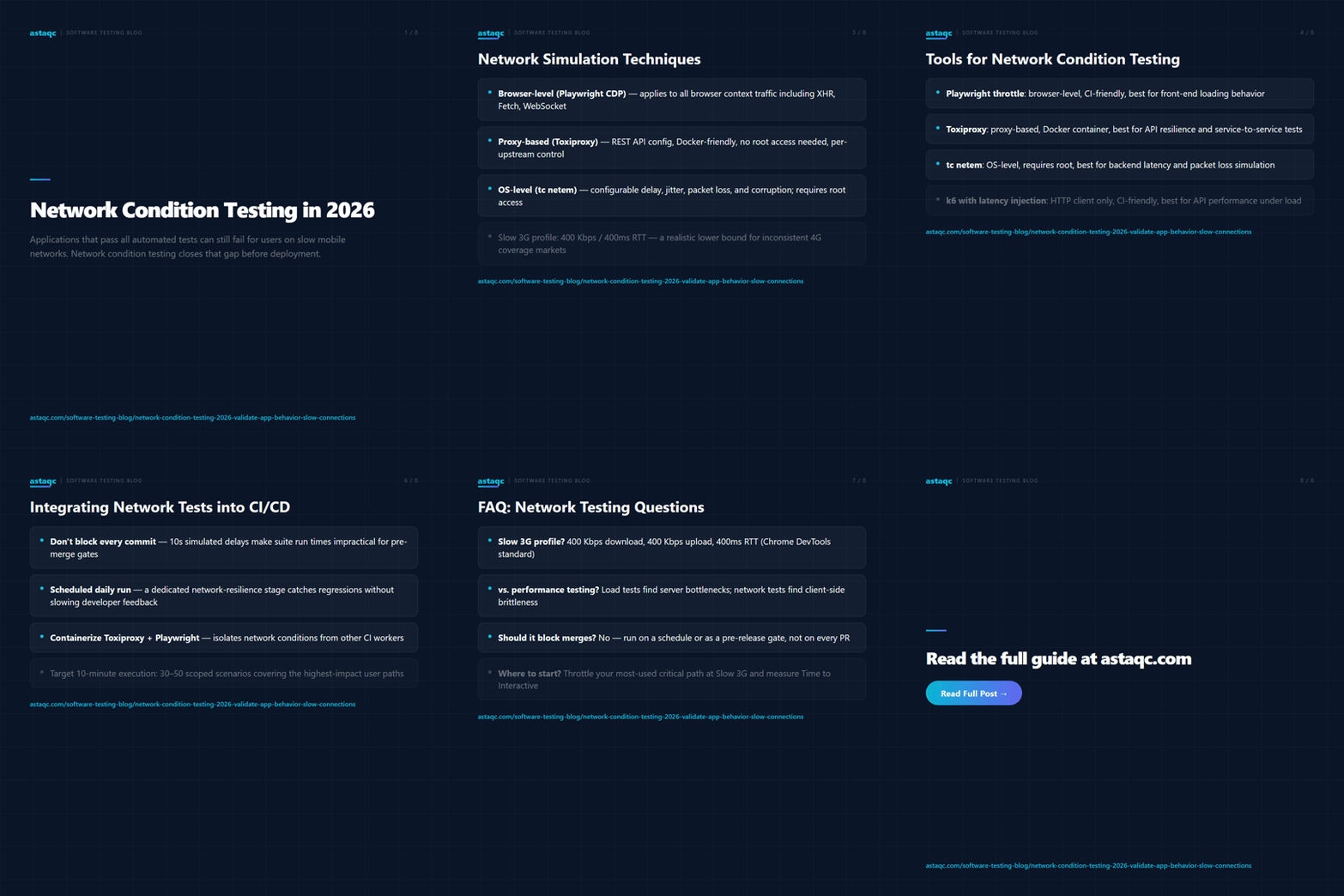
Browser-level throttling is the most common approach for front-end tests. Playwright’s browser context supports the page.route() API with custom handler delays, and Chrome DevTools Protocol (CDP) commands can simulate bandwidth and latency at the browser level. Chrome’s network conditions define presets: Slow 3G (400 Kbps download, 400 Kbps upload, 400ms round-trip latency), Fast 3G (1.5 Mbps, 750 Kbps, 40ms), and various 4G/LTE profiles. Playwright’s browser.newContext({ offline: true }) simulates complete connectivity loss. These settings apply to all network traffic within the browser context, including main document fetches, XHR, Fetch API calls, and WebSocket connections, which makes them the most thorough simulation of actual user network conditions for browser tests.
OS-level traffic shaping (Linux tc netem, macOS pfctl with dnctl) applies network conditions at the operating system level, affecting all traffic from a host. This approach is appropriate for testing backend-to-backend communications, load testing under degraded conditions, and API tests where the client is not a browser. The tc netem discipline supports delay, jitter, packet loss, reordering, and corruption parameters, which makes it the most configurable option for simulating unstable networks with variable latency and packet loss. The drawback is that OS-level shaping requires root access and affects all traffic, which can interfere with CI infrastructure if not carefully isolated.
Proxy-based throttling (Toxiproxy, Charles Proxy, mitmproxy) inserts a network proxy between the client and server that applies configurable network conditions to the proxied traffic. Toxiproxy is the most CI-friendly option: it runs as a daemon, supports multiple named proxies with independent latency, bandwidth, and loss settings, has a REST API for programmatic configuration, and is available as a Docker container. A test can configure a Toxiproxy instance via its API before running, apply specific conditions to the relevant port or upstream, run the test, and reset the conditions afterward—all without root access or OS-level configuration changes. For testing third-party API integrations under degraded conditions, proxy-based throttling is often the most practical approach in CI environments. Astaqc’s performance testing team can provide guidance on selecting the right simulation approach for a given architecture.
| Tool | Approach | Scope | CI Friendly | Best For |
|---|---|---|---|---|
| Playwright network throttle | Browser-level CDP | Single browser context | Yes | Front-end performance, loading behavior |
| Toxiproxy | Proxy-based | Per-proxy upstream | Yes (Docker) | Service-to-service, API resilience testing |
| tc netem (Linux) | OS-level traffic shaping | All host traffic | Requires root | Backend latency, packet loss simulation |
| Charles Proxy / mitmproxy | Proxy-based | Proxied traffic | Limited (GUI tools) | Manual exploratory testing, debugging |
| k6 with latency injection | Load test with delay simulation | HTTP client only | Yes | API performance under load and latency |
| Throttle (npm) | Browser-level | Single browser context | Yes | Cypress and Playwright integration |
For most web application testing scenarios, the practical recommendation is: use Playwright’s built-in network throttling for front-end browser tests (loading time, resource waterfall, interactivity under slow connections) and Toxiproxy for back-end and API tests (connection timeout handling, retry behavior, partial response recovery). Combining both gives coverage of the two most common network failure modes: slow resource delivery and unreliable API connections. OS-level tools like tc netem are reserved for infrastructure-level testing or load tests that need packet-loss simulation. For teams running performance testing as a separate discipline, see Astaqc’s automation vs. manual testing guide for context on how performance tests fit the overall strategy.
Not every test scenario needs to run with network throttling. The goal is to identify the specific behaviors that only fail under poor network conditions. The categories most likely to yield meaningful failures include the following.
Loading waterfalls and Time to Interactive. Tests that verify that the application becomes interactive within an acceptable time budget under 3G conditions. A page that takes 3 seconds to load on a fast network might take 30 seconds on Slow 3G if a large JavaScript bundle is not split or cached. The test assertion is not just that the page loads, but that the critical interactive elements are available within the user’s tolerance threshold (typically 8–10 seconds for a returning user).
Request timeout handling. Any UI feature that makes an API call should be tested to verify its behavior when that API call takes longer than expected. Does the UI display a meaningful error state after 10 seconds, or does it show a spinner indefinitely? Does a form submission fail gracefully when the POST request times out, or does it submit twice when the user clicks again after a delay? These failure modes require a simulated delay of 10–15 seconds on the targeted request to reproduce reliably.
Partial failure and recovery. When a network request fails mid-stream (packet loss) or is refused by the server (502 from a flaky gateway), does the application recover on retry, show a clear error message, or enter an inconsistent state where some data is updated and some is not? Toxiproxy’s connection cut and reset features can simulate these conditions deterministically in a test environment.
Offline and reconnection behavior. Progressive web applications and mobile-first applications that implement offline caching and background sync need testing with complete connectivity loss and reconnection. Playwright’s context.setOffline(true) combined with service worker simulation or IndexedDB state inspection covers this scenario without requiring a real network outage.
The practical challenge of network condition testing in CI is execution time. A test that introduces a 10-second delay to simulate a slow API response takes at least 10 seconds to run, and a suite of 50 such tests would add more than 8 minutes to a pipeline. The solution is not to run network condition tests in the main pre-merge pipeline alongside unit tests, but to run them in a dedicated stage that executes on a schedule or as a pre-release gate. A daily scheduled run of network condition tests catches regressions introduced since the last run without blocking every developer commit.
The recommended integration pattern is: define a separate test stage (for example, a network-resilience job) that runs on a cron schedule, on commits to release branches, or as a manual gate before production deployment. Containerize the test environment so that Toxiproxy and Playwright run in isolation without affecting other CI workers. Run only the scenarios identified as highest-risk: loading TTI on critical pages, timeout handling for form submissions, and retry behavior on the most-used API endpoints. Keep the total execution time under 15 minutes for a scheduled run. Alert on failures via the same CI alerting channels used for other test stages. Astaqc’s automation services team has implemented this pattern for several clients; a targeted set of 30–50 network resilience scenarios is typically achievable within a 10-minute execution budget when tests are properly parallelized and scoped to high-impact paths. For teams building their first performance testing strategy, Astaqc’s testing cost guide covers how to budget for this coverage alongside core regression testing.
Chrome DevTools defines Slow 3G as 400 Kbps download, 400 Kbps upload, and 400ms round-trip latency. This is a reasonable lower bound for mobile connections in markets where 4G coverage is inconsistent. For applications targeting users in markets with limited mobile infrastructure, testing at 250 Kbps with 600ms latency provides a more conservative target. The appropriate profile depends on the application’s actual user geography—real user monitoring data from tools like New Relic, Datadog, or Google Analytics Core Web Vitals shows the actual distribution of connection types your users experience.
Performance testing (load testing, stress testing) measures how the application behaves under high concurrency. Network condition testing measures how the application behaves under degraded connectivity for individual users. A load test identifies server-side bottlenecks (database query performance, connection pool limits, memory pressure under concurrent requests). A network condition test identifies client-side brittleness (hardcoded timeouts, missing loading states, absent retry logic). Both types of failures cause production incidents, but they require different tools and test designs to uncover. See Astaqc’s performance testing services page for the load testing side of this equation.
Not as a default gate on every commit. Network condition tests that simulate 10–15 second delays are inherently slow, and adding them to the critical path of every pull request would unacceptably slow feedback loops. The better integration is to run them on a daily schedule, on release branch commits, or as a manual pre-release gate. If a network resilience failure is discovered that is critical enough to block releases, it can be promoted to a blocking gate specifically for that regression; otherwise, scheduled runs catch regressions without delaying every developer commit.
Toxiproxy’s latency toxic and timeout toxic allow you to inject configurable delays or connection hangs into specific upstream connections. You configure the proxy to add a 12-second delay to the targeted API endpoint, then run a test that expects the application to display an error state within 10 seconds. The test runs in 10–12 seconds rather than waiting for a real network event, and the simulated delay is deterministic and reproducible across CI environments. Playwright’s page.route() API achieves similar effects for browser-level request mocking without Toxiproxy’s infrastructure requirements.
Start with the most-used, highest-impact critical path in the application: the sequence of screens a user goes through to complete the action that matters most to the business (checkout, sign-up, core SaaS workflow). Run that path with Slow 3G throttling enabled and measure Time to Interactive at each step. This single test will surface the most impactful network-related issues and establishes a baseline for comparison as the application evolves. For teams starting from zero automation coverage, Astaqc’s manual testing and automation services teams can implement the first network condition test suite as part of a broader QA engagement.
Tests on a fast network tell you whether your application is correct. Tests on a slow network tell you whether it is usable. Both are required before shipping to users with real-world connections.
September 17, 2026


Sign up to receive and connect to our newsletter

We founded ASTAQC as a tight-knit group of professional Software Testers and software developers.
Subscribe to our Newsletter